


Key Takeaways
Metadata is “data about data”—the contextual information that makes data searchable, understandable, and governable. It comes in many forms, from book titles and photo timestamps to database schemas and access rights. Metadata is stored either inside files or in external repositories like catalogs, and it’s essential for data discovery, governance, cost control, productivity, and compliance.
Metadata is the contextual information that describes, identifies, or adds meaning to data.
You’ve probably heard more about metadata in recent years—and for good reason. Although the term might sound technical, the concept is straightforward: metadata is simply “data about data.”
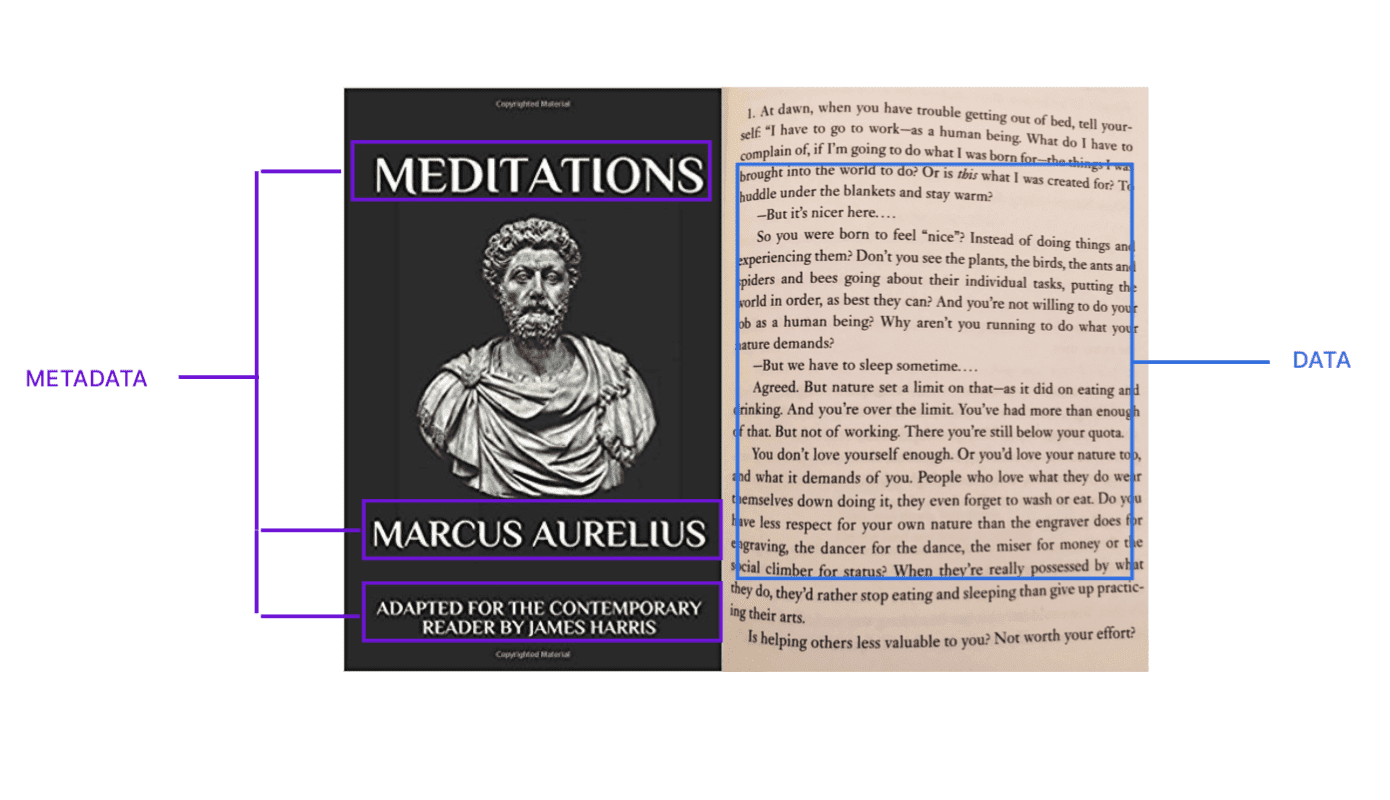
We owe the word “meta” to the ancient Greeks. Meta means “about the thing itself”—so metadata means data about data. Metadata’s only purpose is to define, describe, and contextualize data.
In this article, we’ll look at metadata examples in the real and digital world, break down the main types of metadata, explain how metadata is stored, and explore the value of building a metadata management strategy in your organization.
Let’s start with metadata examples
The word “metadata” became popular in the 1990s to describe information about digital resources. But it’s existed much longer and is present in many everyday places:
In books: Every book is enriched with metadata: title, author, publisher, date of publication, table of contents, and more. Metadata helps readers and librarians classify and locate books quickly.
In photos: When you take a photo with your phone, metadata is generated alongside the image file. This includes the timestamp, file name, camera model, image format, and geolocation. You can then find your photos later by date, place, or device.

In emails: Emails carry metadata like message ID, date and time sent, sender and recipient addresses, and subject line. This information makes it easier to search, sort, and filter messages.
Metadata is everywhere—and it’s what makes digital assets easy to manage.
Types of metadata
Metadata is generally grouped into three categories:
- Descriptive metadata: This helps users discover and identify data. Examples: title, author, keywords, summary, tags. For instance, descriptive metadata for a dataset might include its name, purpose, owner, and associated KPIs.
- Structural metadata: This explains how a resource is organized. For a book, this might be a table of contents. For a database, it includes relationships between tables, schemas, and columns.
- Administrative metadata: This helps manage and govern data. It includes file creation dates, access permissions, usage rights, refresh frequency, and compliance tags like PII.
How is metadata stored?
There are two main storage models:
- Embedded metadata: Stored directly inside the file. For example, image metadata is stored in the photo file. This ensures the metadata travels with the file but makes it hard to centralize metadata across systems.
- External metadata: Stored separately, typically in a metadata repository or data catalog. This enables centralized search, governance, and automation—but requires syncing with the source data to avoid misalignment.
Why should you care about metadata?
Think of your data like your car keys. They’re valuable—but if you don’t know where they are, they’re useless. Metadata helps you locate, understand, and use data effectively.
The same way a tracking device can help you locate your keys, a metadata system makes it easy to track, tag, and access your digital assets—without relying on tribal knowledge or manual digging.
How metadata improves your organization
Metadata plays a key role in these four areas:
1. Data discovery & trust
It’s important to remember that metadata isn’t the data itself—often it’s everything around the data. Metadata captures details like where an asset originated, who owns it, how it’s being used, and how it connects to other processes. With this context in place, teams can make assets and workflows more discoverable, accelerate data search, reduce duplication, and improve documentation. Think of it like searching for a photo on your phone by location or time—metadata provides the context that makes discovery fast and reliable.

2. Data governance & security
Governance becomes more effective with metadata in place. It allows organizations to flag and classify sensitive fields such as personally identifiable information (PII), define access policies, and enforce data retention rules. Metadata also supports audit logs and helps demonstrate compliance with data protection frameworks like GDPR or HIPAA. When metadata is properly maintained, it becomes possible to control who sees which assets and for how long.
3. Cost management
Metadata helps teams identify underused or redundant assets so they can be archived, migrated, or removed. For example, if certain tables haven’t been queried in months, metadata can flag them for decommissioning or relocation to lower-cost storage. More importantly, by surfacing how often data is accessed and where it lives, metadata prevents clutter from piling up in your warehouse, making it easier for everyone to navigate and trust the data that remains.
4. Data team productivity
Metadata helps prioritize engineering work. If one asset has multiple issues flagged in the catalog, it deserves faster attention. Conversely, assets with low usage might not be worth the same maintenance effort.
Should you invest in a metadata tool?
It depends on the size of your organization and the volume of your data assets.
For smaller teams: If you only manage a few hundred tables, manual documentation might be manageable. We recommend starting with a metadata spreadsheet or template.
For enterprises: If you’re dealing with thousands of assets across multiple teams, manual processes become unsustainable. That’s when it makes sense to adopt a metadata platform that:
- Automatically captures metadata
- Propagates documentation across similar assets
- Connects your data catalog to your warehouse, dashboards, and pipelines
With column-level lineage and metadata propagation, one definition can apply to dozens—or thousands—of matching fields.
Metadata in practice
Metadata is the key to transforming scattered, siloed data into trusted, well-governed assets. With the right metadata management strategy, you’ll improve discovery, boost data quality, stay compliant, and cut unnecessary storage costs—all without slowing your team down.
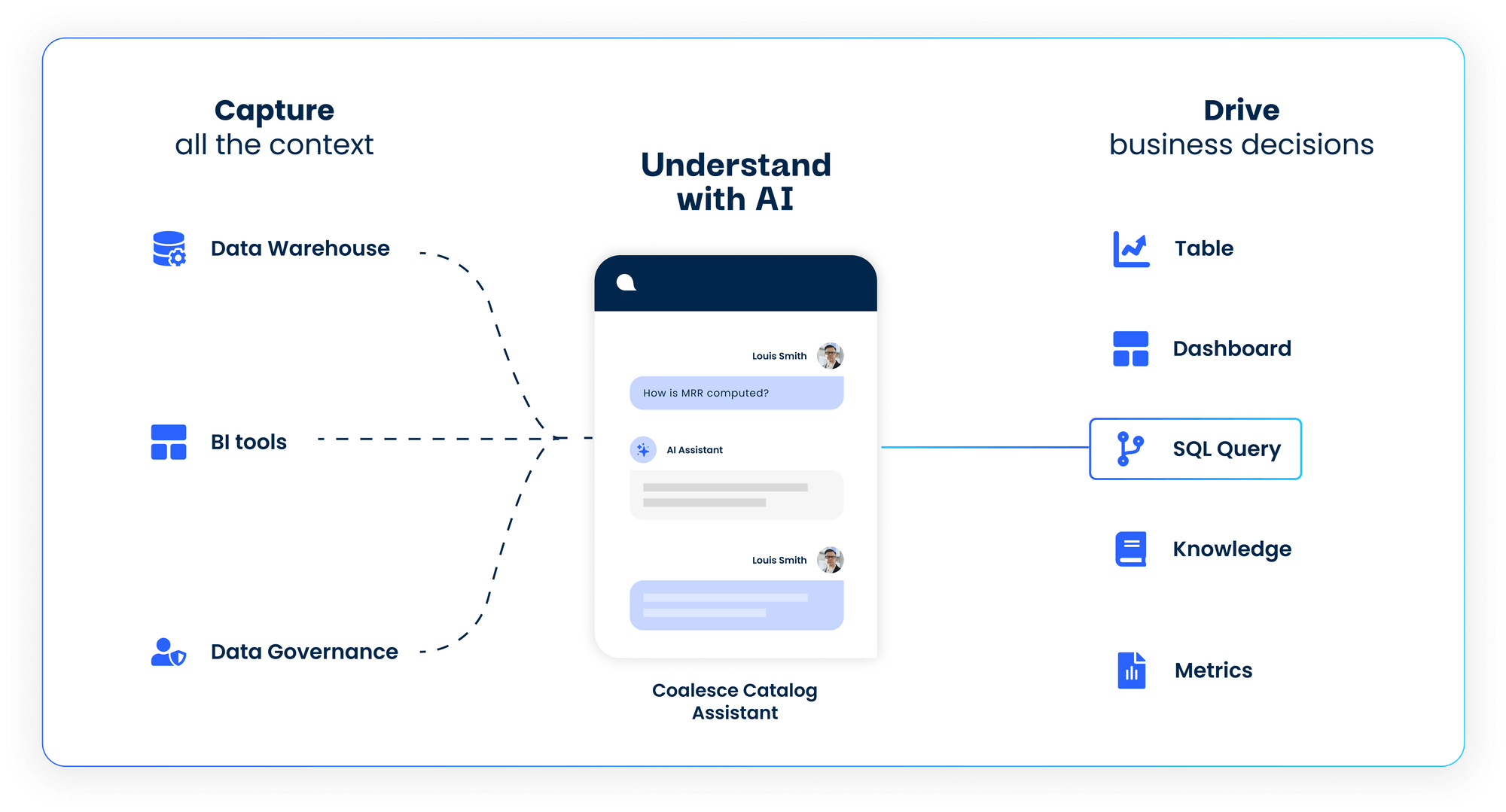
Want to see how it all comes together in practice? Take a tour or schedule a demo
Frequently Asked Questions
It provides visibility into sensitive data, enabling better access controls and compliance monitoring. Metadata also supports auditability and helps detect unauthorized access.
Yes. Different tools often use different metadata formats. But common standards (like DCAT or ISO 11179) and a central metadata repository can reduce inconsistencies.
Absolutely. That’s why regular validation, version control, and automated updates are essential. The right tooling helps maintain accuracy.